
How to Choose the Best Laptop in Pakistan 2026
Choosing the best laptop to match your needs can be confusing. With new technologies emerging every day and tech brands introducing new models and standards, the choices can feel overwhelming. Many first-time buyers make mistakes when purchasing a laptop without prior research. If you are a student, professional, or freelancer, choosing the wrong laptop can waste your money and slow down your work.
There are hundreds of laptop models available from various brands, each with different specifications — from screen sizes and processors to RAM (Random Access Memory), storage type, and graphics capabilities. This guide will help you how to choose the best laptop for personal or professional use by explaining the key features to consider. In this complete guide, you will learn:
- Which processor is best for your needs?
- How much RAM do you actually need?
- SSD vs HDD – which one to choose?
- Which laptops are best for students, professionals, and freelancers?
- Budget-wise recommendations for the Pakistani market.
How to Choose the Best Laptop in Pakistan 2026?
The first question you should ask yourself is: “What will I use this laptop for?”
Will it be for general use, online teaching/learning, programming, graphics design, website development, office work, or gaming?
Once you know the purpose for which you’ll be using your laptop, it becomes much easier to determine the specifications you need.
If you have a budget between Rs 90000 and Rs 100000, you can buy a Core i7 laptop from the 12th- to 13th-generation processor with 16 GB RAM and 512 GB SSD storage. This laptop can run any kind of software, whether it’s online or offline. If you have a budget range between Rs 50000 and Rs 80000, you can easily buy a 10th to 11th-generation processor laptop.
Understanding Laptop Specifications (Before You Buy)
Before choosing a laptop, you must understand these important components.
Processor (CPU) – The Brain of the Laptop
Processor and CPU or microprocessor controls all the functions of your laptop. Your laptop’s speed and performance depend on its processor.
Intel Processors (Very Common in Pakistan)
In pakistan Intel’s brand processors are very common, known for the Core “i” series — Core i3, i5, i7, and i9.
- Core i3 – Basic tasks like internet browsing, MS Office, YouTube
- Core i5 – Best for programming, graphics designing, and office work
- Core i7 – Heavy tasks like video editing, programming, video games, and multitasking
- Core i9 – High-end performance, veryrare & expensive
What do core and generation mean in a processor?
A core is an individual processing unit that can perform different tasks and calculations. Many cores mean high performance and speed. A processor can have 2, 4, 6, 8, or even 10+ cores. Generation means how advanced the processor technology is. As of 2026, Intel’s latest is the 15th generation. Intel® Core™ i5-6300U — here, the “6” indicates it’s a 6th-generation processor.
AMD Processors (Not commonly used in Pakistan)
Ryzen 3 – Basic use
Ryzen 5 – Internet surfing, office work
Ryzen 7 – Good for professionals and Programming
Ryzen 9 – High-end performance
AMD’s latest CPUs are excellent for gaming and multitasking. Remember! In Pakistan, AMD processors are rarely imported because of their overheating problem due to the high temperatures in summer.
RAM (Random Access Memory)
RAM store software that is currently in use. More RAM storage means more software can be opened simultaneously.
- 4GB RAM → Not recommended in 2026
- 8GB RAM → Enough for normal laptop use
- 16GB RAM → Ideal for professionals & freelancers
- 32GB RAM → For heavy use like video gaming
👉 For most people in Pakistan, 8GB or 16GB is perfect.
Storage – SSD (Solid State Drive) vs HDD(hard Disk)
Hard Disk (Old Technology)
- Slower
- Less Expensive
- Not recommended in 2026
SSD (Modern Storage)
- Very fast
- Laptop boots in seconds
- Better performance
- SSDs are up to 3x faster than HDDs.
- Choose at least 256 GB SSD. You can go for 512 or 1TB if you have heavy data.
- SSD Types:
- M.2 SSD – Slim, stick-shaped like RAM; faster and more common in modern laptops.
- 2.5-inch SSD – shaped like old hard drives; generally more expensive.
Graphics Card/GPU(Graphics Processing Unit)
- Integrated graphics Card– Built into the CPU, sufficient for basic tasks like browsing, office use, and basic designing.
- Dedicated graphics Card– Separate GPU (2GB, 4GB, 8GB, or more) for gaming, 3D design, and video editing. Laptops with GPUs are more expensive but essential for high-end graphics work.
Popular GPUs:
- NVIDIA MX series → Light editing
- GTX / RTX series → Heavy editing & gaming
Laptop for school/college/university students
Students need a laptop for studying, assignments, presentations, online classes, programming, graphic design, etc. Students must ensure to buy a laptop that has:
- Good battery life
- Lightweight design
- Affordable price
- Smooth performance
Minimum Recommended Specs:
- Core i5 (8th Gen+) or Ryzen 5
- Minimum 8GB RAM
- At least 256 GB SSD (Not HDD)
- 12” or 14” inches display(easy carry around to school, College or University)
Best Recommended Models
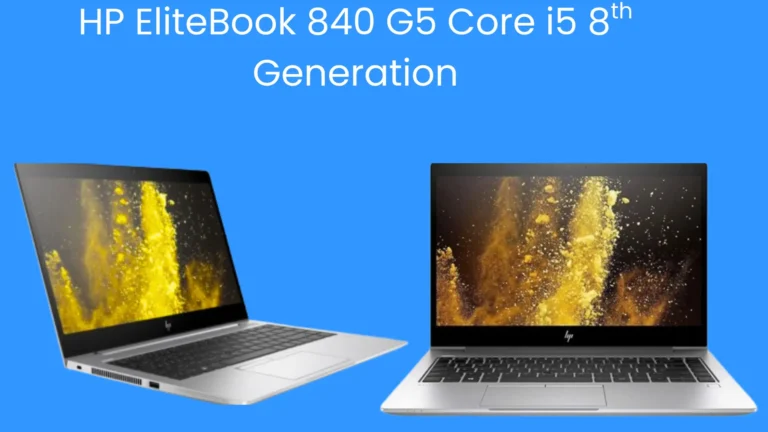
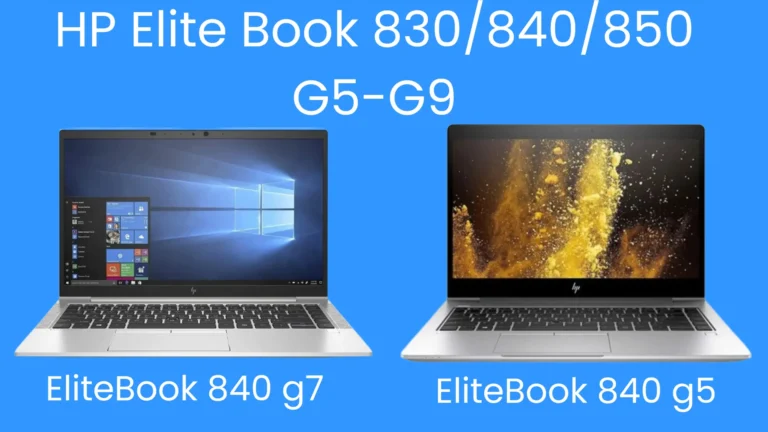
- HPs Elitebook 840 Series G3, G4, G5, G6 (Price Range: Rs 40000- 70000)
- Dell Latitude Series 5300, 5400, 7400 (Price Range Rs: 40000- 60000)
These laptop models are perfect for:
- BS students
- Medical students
- Business students
- Online classes
- Research work
Best Laptop for Professionals in Pakistan
Professionals need:
- Strong multitasking
- Long durability
- Premium build quality
- Reliable performance
minimum Recommended Specs:
- Core i7 (10th Gen+) or Ryzen 7
- 16GB RAM
- 512GB SSD
- Full HD IPS Display
Budget Range:
PKR 80,000 – 150,000
Best Professional Models:
- Dell Latitude 5430(12th generation processor)
- HP EliteBook 840 G8 / G9(10th/11th generation processor)
- Lenovo ThinkPad E14 / T14
- MacBook Air M2 (if budget allows)
👉 Ideal for:
- Office executives
- Managers
- Software/Architectural engineers
- University professors/lecturers
- Corporate users
Best Laptop for Freelancers in Pakistan
Freelancers have different needs depending on their work.
For Content Writers / Digital Marketers:
- Core i5 or i7 / Ryzen 5
- 8GB RAM (16GB better)
- 256 GB or 512GB SSD
For Graphic Designers / Video Editors:
- Core i7/i9 / Ryzen 7
- 16GB RAM minimum
- Dedicated GPU (RTX 3050 or above)
- 512GB or 1TB SSD
Budget Range:
PKR 100,000 – 150,000
Best Freelancing Laptops:
- HP EliteBook 840 G8 / G9(10th/11th generation processor)
- HP Victus 15
- Lenovo LOQ
- Dell G15
- ASUS TUF Series
- MacBook Air M2 / M3
👉 These are suitable for:
- YouTube creators
- Amazon VA
- Shopify managers
- Web developers
- Video editors
Budget-Wise Laptop Recommendation (Quick Summary)
Under PKR 50,000
- Used Core i5 8th Gen
- 8GB RAM
- 256GB SSD
PKR 80,000 – 100,000
- Core i5 11th/12th Gen
- 16GB RAM
- 512GB SSD
PKR 100,000 – 150,000
- Core i7 / Ryzen 7 (12th/13th Gen)
- 16GB RAM
- 512GB SSD
PKR 150,000+
- Core i7/i9 or Ryzen 7/9 (13th/14th Gen)
- 16GB/32GB RAM
- Dedicated GPU
- 1TB SSD
Final Buying Tips for Pakistani Market (2026)
✔ Always compare prices from multiple sellers
✔ Check warranty (local vs international)
✔ Avoid 4GB RAM laptops
✔ Always prefer SSD
✔ Check battery health (for used laptops)
✔ IPS display is better than a TN panel
You can buy a laptop from an online store or a physical laptop store. If possible, visit a physical laptop store before buying. This way you can check:
- Screen size and display resolution
- Sound quality and camera clarity
- Keyboard comfort and layout
- Touchpad, left/right click
Recommendations:
- You can go with any brand, like HP, Dell, Asus, Samsung, or Acer, because they all use the same Intel processors. Important is the processor’s generation. Latest generation processors mean high speed and good efficiency.
- Buy new – Recommended if you have the budget, as it ensures warranty and better reliability. Manufacturers can assist with any issues that arise for 6 months to 1 year.
- Buy used/refurbished – Suitable for tighter budgets, but requires careful inspection. Each device must be checked before buying.
Testing laptop essential hardware
If you buy a new laptop, hardware issues are rare due to manufacturer testing. But with used or refurbished laptops, you must check carefully. How to choose the best laptop in Pakistan 2026, following device must be checked:
- Keyboard – Use an online keyboard tester to ensure all keys work.
- Speakers – Play audio or test via Windows sound settings.
- Battery Health –
- Check design capacity vs full charge capacity.
- A healthy battery should give 3–8 hours of backup.
- To check battery health:
- Open the Start Menu → type “cmd” → right-click “Command Prompt” → select “Run as Administrator.”
- Type powercfg /batteryreport → press Enter. This generates a detailed battery report.
- Wi-Fi – Ensure the Wi-Fi icon is active and drivers are installed.
- Webcam – Search “camera” in the Start Menu to test.
- Keyboard Backlight – Useful for typing in low light.
- Device Drivers – If a hardware device is not working properly, then there is a chance that its device drivers may not be updated. Right-click “This PC” → “Manage” → “Device Manager.” If any device has a yellow warning icon, update its driver (requires an internet connection).
- Touchpad – Roll your finger on the touchpad to check whether it’s working or not. Also, check the right and left mouse buttons by clicking on them.
Conclusion
Choosing the best laptop in Pakistan in 2026 depends on your work, budget, and performance needs.
- Students need balance
- Professionals need stability
- Freelancers need power and speed
Once you understand the processor generation, RAM, and storage properly, you will never waste money on the wrong machine.
Before buying, always ask:
“What work will I do on this laptop for the next 3–5 years?”
That question alone can save you thousands of rupees.
Final Thoughts
How to choose the best laptop in Pakistan 2026 depends on your needs, budget, and understanding of key specifications like CPU, RAM, storage, and graphics card. Always check hardware functionality — especially if buying used — and make sure the laptop fits your usage habits.
By considering these factors, you’ll be able to make a smart purchase that will serve you well for years to come.
You can also read the article ” Best Laptop for University Students in Pakistan” by clicking the following link.
Best Laptop for University Students in Pakistan
Check laptops price on Amazon website
FAQs:
What does core mean in a processor?
Many cores are available inside a processor, and they work like independent processing units, processing instructions and programs.
What does generation mean in a processor?
Generation means how advanced the processor technology is. Currently, 15th generation processors are availablein the market.